Tech in law

Technology today is all about doing more with less, and nowhere is that more apparent than in the legal industry. This sector’s market in the United States has been valued by the Legal Executive Institute to be worth around $437 billion, and with so much money invested, administrators in this field are doing everything they can to streamline the legal process. But what kind of technologies are law firms adopting?

“The cloud has quite a lot of benefits for those working within law.”

The cloud and e-discovery

Like in every other industry, the cloud has quite a lot of benefits for those working within law. Although this technology has a wide range of uses, perhaps the most relevant for legal firms is its ability to quickly and efficiently implement e-discovery applications.

When legal proceedings begin, lawyers start what is called the discovery process. As the name entails, this is where employees at the law firm comb through hundreds or thousands of documents in order to uncover any wrongdoing and to get to the heart of the matter. This is often an extremely inefficient way to handle discovery, and can very easily result in a worker missing a crucial piece of evidence.

Computers are better at discovery than people. Computers never skip a sentence or fall asleep on the job.

E-discovery applications work to cut through this process by using specific searching algorithms to find what the lawyers are looking for. Computers are infinitely better than humans at searching large amounts of data, which is why many law firms have opted to include this technology in their arsenals. However, when choosing to work with e-discovery applications, these organizations have to make a choice between on-premises computing or accessing this technology through the cloud.

Even though e-discovery is revolutionizing the legal industry, it has also increased the risk of a data breach. These documents are often extremely private and contain personal data that a hacker could later use for personal gain. This need to keep information secret certainly isn’t specific to law, but it’s something that is keeping many firms out of the cloud.

However, as many experts have noted, the cloud really isn’t as unsafe as many believe it to be. In fact, Big Law Business contributors Daniel Garrie and Yoav M. Griver stressed that on-premises computing systems can be hacked just as easily as the cloud. Considering the initial costs associated with setting up an in-house computing solution, avoiding the cloud because of a false sense of danger is a mistake.

Contract management software

Another technology a lot of law firms are seeing the benefits of is contract management software. This is a platform through which administrators can easily view the progress of each contract they have created. Modifications can be made quickly and easily to unsigned contracts, allowing everyone with access to the system the opportunity to read and comment on the exact same document. Lawyers can even view how well signers are following up on their obligations on existing contracts.

That said, perhaps the most interesting part of this technology is its ability to manage digital signatures. One of the biggest issues holding legal firms back from adopting more advanced solutions is the fact that a physical ink signature is seen to hold more weight in court than a digital one. This viewpoint is rapidly changing, however, thanks in part to contract management software.

BYOD

The bring-your-own-device trend is sweeping just about every industry, whether company administrators know about it or not. In fact, a Gartner study found that around 37 percent of people currently using their own gadget for work purposes don’t currently have permission. Considering how people often don’t protect their mobile devices, this is an absolute nightmare for the IT department.

In fact, quite a lot of organizations have had to deal with hackers due to the increased use of personal gadgets for work purposes. A study conducted by IDG Research Services discovered that just under three-quarters of respondents saw a data breach event as a result of poor cybersecurity measures concerning mobile devices.

That said, BYOD has some amazing benefits for legal firms. Lawyers often meet with clients outside of the office, and carrying around important documents is cumbersome and can result in lost or stolen client information. What’s more, other staffers who aren’t lawyers are seeing similar advantages. While this is good in terms of flexibility and mobility of the workers, it’s also putting a major strain on the IT team. Employees should be able to use their own devices to access company data, but only after having implementing certain safety guidelines.

This is why any organization wishing to ensure the security of company records should contact an ISG Technology BYOD specialist. Our experts have years of experience with this trend, and we know what it takes to keep a law firm’s data safe.

What do you need to do to move to the cloud?

Technological development often moves so fast that companies have trouble keeping up. The cloud is one of these advancements, where it feels like just yesterday the service was new and untested. But the cloud has been around for a while now, and its worth has been proven time and again. In fact, the cloud is so useful that a Spiceworks survey found that 93 percent of respondents were using it for at least one function.

That said, there are still a lot of organizations that haven’t included a cloud solution in their IT strategy. Many of these businesses want to make the move, but they aren’t sure where to start. To that effect, let’s discuss what you need to do before you can make a move to the cloud:

Know your workload

As with any other change in IT protocol, the first step here is to ensure that you know as much as you can about your current workload. For a movement to the cloud, this means figuring out just how many of your operations have been virtualized so far. Transitioning these kinds of tasks to a cloud environment is much easier than doing so for a non-virtualized workload, so you should also be looking to see if you can virtualize more than you already do.

The hard part of this step is that no one can tell you what your workload looks like. Each company is different, and you’ll need to investigate and speak with your internal IT team in order to get all the details you need. This might end up taking up the most time out of these steps, but it’s more than worth it.

“Should you choose public or private?”

Learn about the different kinds of cloud

Now that you have a deep understanding of the data and workloads you want to transition, it’s time to start thinking about the type of cloud you want to be working with. Basically, this is going to boil down to two distinct options: a public or a private cloud. A lot of people like to include colocation into this discussion, and while this service is certainly beneficial for many clients, it technically isn’t part of the cloud.

That aside, should you choose public or private? Well, the answer to this isn’t that simple as they both have advantages and disadvantages. The public cloud is incredibly popular across multiple industries for the lower cost that comes from sharing resources between separate organizations. In fact, Gartner predicted the public cloud services market to hit $204 billion sometime this year. That said, because these computing resources are shared, many in the industry have noted that public cloud options have certain security issues. This isn’t to say that the public cloud is unsafe. Rather, it’s less secure than the private cloud, which is this service’s main advantage

Because private clouds are – by nature – built with a specific client in mind, they are often viewed as the most secure cloud option. Having your own private cloud also has some benefits in terms of control over the server, which is something a lot of organizations want. On the other hand, all of these benefits come at a high initial cost.

Do you really need private cloud services?Which is best for your company?

Understand your security posture and need for control

There’s no perfect cloud solution that fits all industries and business models, and as such you’ll need to figure out what your company can afford and whether or not you really need the control of your own private cloud. Some administrators who need to be heavily involved in their cloud infrastructure often opt for a private cloud. If you don’t need to be this hands-on and aren’t looking to spend a lot of money up front, the public cloud is probably for you.

In a similar vein, it can be hard for administrators to realize the reality of their security situation. These officials sometimes jump to the conclusion that less security means no security, which couldn’t be further from the truth. The public cloud is a perfectly viable option for keeping your data safe, and it shouldn’t be viewed as a dangerous option just because the private cloud is more secure.

Migration is work

Regardless of which cloud you end up choosing, or even if you go with a combination of the two for a hybrid cloud environment, it’s important to remember that this transition is going to take a lot of time and effort. That’s not to say this process isn’t absolutely worth it, but administrators need to know that moving to the cloud requires a lot of skill and expertise.

This is why company leaders should look to partner with a knowledgeable cloud provider such as ISG Technology. Our cloud experts have years of experience in the field, and can help smooth the transition for your company and its IT workloads.

Tips to improve your facility's physical security

A lot of companies tend to focus on digital data breaches when prepping their defenses. The quasi-magical nature of accessing information through a few lines of code and an investigation into a network’s security infrastructure can make cybercriminals seem like modern-day wizards. Despite their malicious intentions, it’s hard not to be impressed by the skills of hackers these days.

That said, the public’s fascination with digital hacking has allowed many administrators to shift their focus away from physical security. Cyber security is flashy and exciting, and as such many officials forget that improperly protecting the facility itself can lead to data breaches. Criminals don’t care how they get private information as long as they can make a profit from it, and they sometimes break into offices to steal what they need.

Although the notion of some outside criminal burglarizing your company is an unsettling thought, there are a few things administrators can do to ensure the physical security of their facilities.

“Administrators should look to authenticate employee identities as often as possible.”

The more levels of authentication, the better

Verification of a person’s identity and security credentials is absolutely vital to ensure the physical security of any office. The more barriers there are between the outside world and secure areas, the more chances a criminal has of slipping up and getting caught. Administrators should look to authenticate employee identities as often as possible. We’ve already discussed the three ‘What’s’ of physical security in length, but their importance bears a quick recap:

  • What you have: These are the physical items that you use to gain access to an area, such as an ID card.
  • What you know: This has to do with phrases or codes you memorize to pass a security checkpoint, like a password.
  • What you are: Your physical attributes, such as your fingerprints or DNA, are extremely hard to forge. As such, they are great ways to authenticate your identity.

Ideally, every single part of a facility should have all three of these security measures. However, this simply isn’t feasible for more client-friendly areas. Regardless, administrators should install at least one method of authentication for even the least secure areas of the office. Areas that require higher levels of security should have as many authentication barriers as possible, with the optimal setup using a combination of all three.

Employee education is key

Once you’ve set up the physical infrastructure of your authentication systems, it’s time to train employees on the importance of proper security. Even the best biometric scanner in the world can’t prevent a worker from holding the door open for a nefarious stranger. It’s vital that staff members understand their role in all of this.

The first step in this is to train workers to see the difference between compassion and gullibility. Buzzing in an employee that forgot his or her ID badge is fine if this person has been working at the company for 10 years, but doing the same for an unknown “repair man” that left his credentials at home opens the office up to a breach.

What’s more, it’s important to stress that staff members are the last line of defense against theft. Security experts at Social-Engineer stated that they have a perfect record when it comes to physical break-ins at companies they test, with a portion of their success being attributed to impersonating employees. Workers need to know who has access to specific parts of the building, and they should be able to recognize an unfamiliar face if they’re in an area containing sensitive information or expensive equipment.

You’ll need security cameras, too

Finally, administrators intent on ensuring the physical security of their facilities need to invest in top-notch security cameras. In a perfect world, every company would have several employees with the sole job of watching security camera footage to ensure nefarious individuals don’t make their way into the office. Sadly, this isn’t possible for a majority of organizations, which is why surveillance equipment is generally used after a crime has taken place to identify the burglar.

Security camera footage can help track down robbers. Without security camera footage, burglars are just shadows in the night.

While this is still an incredibly useful function, it does pose the problem of video data storage. Cameras should be placed at all entrances and exits as well as in high-security areas. For larger facilities, this is going to result in hundreds of hours of footage every week.

All of this data is going to need to be put somewhere for a certain period of time, as break-ins aren’t always immediately apparent. Considering the fact that TechVision has estimated that companies generally double their data storage needs every 12 to 18 months, adding even more to the pile can add unneeded strain to a company’s IT department.

This is why company officials looking to decrease the chances of a burglary in their office should look to partner with ISG Technology’s physical security experts. Not only can we help set up authentication and surveillance systems, we can also store and manage the data created by cameras to ensure the recordings are quickly and easily accessible if a break-in were to occur.

Tips to improve your facility’s physical security

A lot of companies tend to focus on digital data breaches when prepping their defenses. The quasi-magical nature of accessing information through a few lines of code and an investigation into a network’s security infrastructure can make cybercriminals seem like modern-day wizards. Despite their malicious intentions, it’s hard not to be impressed by the skills of hackers these days.

That said, the public’s fascination with digital hacking has allowed many administrators to shift their focus away from physical security. Cyber security is flashy and exciting, and as such many officials forget that improperly protecting the facility itself can lead to data breaches. Criminals don’t care how they get private information as long as they can make a profit from it, and they sometimes break into offices to steal what they need.

Although the notion of some outside criminal burglarizing your company is an unsettling thought, there are a few things administrators can do to ensure the physical security of their facilities.

“Administrators should look to authenticate employee identities as often as possible.”

The more levels of authentication, the better

Verification of a person’s identity and security credentials is absolutely vital to ensure the physical security of any office. The more barriers there are between the outside world and secure areas, the more chances a criminal has of slipping up and getting caught. Administrators should look to authenticate employee identities as often as possible. We’ve already discussed the three ‘What’s’ of physical security in length, but their importance bears a quick recap:

  • What you have: These are the physical items that you use to gain access to an area, such as an ID card.
  • What you know: This has to do with phrases or codes you memorize to pass a security checkpoint, like a password.
  • What you are: Your physical attributes, such as your fingerprints or DNA, are extremely hard to forge. As such, they are great ways to authenticate your identity.

Ideally, every single part of a facility should have all three of these security measures. However, this simply isn’t feasible for more client-friendly areas. Regardless, administrators should install at least one method of authentication for even the least secure areas of the office. Areas that require higher levels of security should have as many authentication barriers as possible, with the optimal setup using a combination of all three.

Employee education is key

Once you’ve set up the physical infrastructure of your authentication systems, it’s time to train employees on the importance of proper security. Even the best biometric scanner in the world can’t prevent a worker from holding the door open for a nefarious stranger. It’s vital that staff members understand their role in all of this.

The first step in this is to train workers to see the difference between compassion and gullibility. Buzzing in an employee that forgot his or her ID badge is fine if this person has been working at the company for 10 years, but doing the same for an unknown “repair man” that left his credentials at home opens the office up to a breach.

What’s more, it’s important to stress that staff members are the last line of defense against theft. Security experts at Social-Engineer stated that they have a perfect record when it comes to physical break-ins at companies they test, with a portion of their success being attributed to impersonating employees. Workers need to know who has access to specific parts of the building, and they should be able to recognize an unfamiliar face if they’re in an area containing sensitive information or expensive equipment.

You’ll need security cameras, too

Finally, administrators intent on ensuring the physical security of their facilities need to invest in top-notch security cameras. In a perfect world, every company would have several employees with the sole job of watching security camera footage to ensure nefarious individuals don’t make their way into the office. Sadly, this isn’t possible for a majority of organizations, which is why surveillance equipment is generally used after a crime has taken place to identify the burglar.

Security camera footage can help track down robbers. Without security camera footage, burglars are just shadows in the night.

While this is still an incredibly useful function, it does pose the problem of video data storage. Cameras should be placed at all entrances and exits as well as in high-security areas. For larger facilities, this is going to result in hundreds of hours of footage every week.

All of this data is going to need to be put somewhere for a certain period of time, as break-ins aren’t always immediately apparent. Considering the fact that TechVision has estimated that companies generally double their data storage needs every 12 to 18 months, adding even more to the pile can add unneeded strain to a company’s IT department.

This is why company officials looking to decrease the chances of a burglary in their office should look to partner with ISG Technology’s physical security experts. Not only can we help set up authentication and surveillance systems, we can also store and manage the data created by cameras to ensure the recordings are quickly and easily accessible if a break-in were to occur.

The Boardroom vs. IT: Who drives change?

When it comes to ensuring business continuity and keeping all parts working properly, it’s crucial for communications between departments to be easy and effective. You especially want interaction between executives and IT administrators to be productive. In those conversations, if there is any kind of disconnect with either party, bottom lines could suffer.

How does the proper implementation of IT impact corporate objectives? Having the right technology solution in place can make a difference in the long run across the board, but decision-makers sometimes don’t consult their IT departments before investing in something new. According to InformationWeek contributor Andrew Froehlich, this may be due in part to the fact that new technologies are constantly coming out, sometimes so quickly that tech staff can’t keep up.

Shadow IT is creating cybersecurity vulnerabilities for enterprises.

Shadow IT is compounding this issue even further. With the continued implementation of bring-your-own-device policies, extraneous technologies make their way into companies’ networks. Employees are carrying their smartphones and tablets into the workplace and downloading different – and perhaps unapproved – applications to use in their jobs. This creates cybersecurity and compliance issues due to the entrance of unknown actors on the network.

For instance, one study from 2014 on the information systems of health care organizations found that the average provider has 928 cloud services running on its systems – only 10 percent of which are known to their IT departments. In addition, only 7 percent of the total systems on the cloud comply with industry-specific standards. These kinds of statistics illustrate why it’s crucial for the IT department to be involved in the decision-making process of any company. To ensure compliance and maintain security, technology teams and executives need to be on the same page.

Different departments need to work together to elicit the best outcome for a business – meaning that to achieve the best bottom line, communication between IT staff and the executive board needs to be efficient. Computer Weekly contributor Marc Cercere noted that the agendas of both the business technology and IT departments are equally as important to focus on and improve.

For instance, due to the increase in shadow IT and the continuing focus on cybersecurity across every industry, the IT department should be consulted about any change to technology strategy. Instead of implementing tech “solutions” that may or may not solve a company’s problems, getting the go-ahead from the IT department allows every portion of the company to work in unison toward the same goal.

In today’s business climate, technology should align with corporate objectives. You want IT to work in your favor. If relationships within your business between executives and the IT department aren’t up to par, costly disconnect can occur, and business processes can be hampered.

3 things the boardroom needs to know about ITaaS

While a separation of responsibilities is necessary to keep focus within an organization, it has a major downside: The boardroom is often left in the dark concerning IT issues. Executives should be taking an active role in tech maintenance and advancement within the company, and one of the great ways they can go about doing this is through IT-as-a-Service.

To that effect, let’s take a look at the top three things the boardroom should know about ITaaS:

“CIOs think their IT teams should be 58 percent bigger.”

1. Internal IT teams are often understaffed

The first – and perhaps most important – reason why the boardroom should consider ITaaS is the fact that many business IT departments are overworked. A study conducted by Robert Half Technology found that CIOs don’t think they have enough employees to effectively get the job done. In fact, the survey discovered that CIOs think their IT teams should be 58 percent bigger than they currently are.

While this makes for a stressful work environment, the real problem with this situation is the fact that stretching IT employees too thin can be dangerous for a company’s data health. PandaLabs, a cybersecurity research collective, observed and neutralized nearly 84 million unique pieces of malware in 2015 alone. That accounts for more than 27 percent of malware observations made by PandaLabs, which shows just how hard hackers are working to steal private information. Leaving something like malware removal to an already understaffed, overworked IT team is clearly just asking for trouble.

2. It helps to get fresh eyes on your network

Building a network for an organization is a very personal experience. IT workers pride themselves on creating a network from the ground up, but problems arise when these employees get too grounded in their routine and begin to overlook certain aspects. Working with a system for a long time allows blind spots to develop, and it’s often advantageous to have an outside professional come in and assess the situation.

A good example of this has to do with the security of company data. An IT administrator working with the local network might focus on educating employees about phishing scams or ensuring that all software is completely updated, but might miss the fact that users are accessing network data through unencrypted means. A network assessment from an outside MSP can help to plug these kinds of holes.

Having someone assess a network provides fresh eyes on it. Making sure a network is running as efficiently as possible is a major concern.

3. Implementing new policies demands refined expertise

As a rule, IT workers are highly skilled individuals. But, as the above examples show, sometimes they need a little help. This is especially true when implementing a new technology plan, such as a bring-your-own-device policy. With Forrester Research predicting that organizations the world over will be using 200 million BYOD smartphones in 2016, it’s clear this is an important trend.

Although BYOD has amazing benefits like reduced hardware costs, it certainly has its downsides. Compliance standards often have strict regulations regarding BYOD, as allowing employees to bring devices from home increases security concerns. Organizations looking to implement such a policy might not be able to foresee all the problems that need addressing, and therefore might increase the risks of a data breach or even downtime. Working with an ITaaS provider such as ISG Technology can mitigate these risks, helping to ensure a smooth BYOD rollout.

Ransomware: How hackers hold data hostage

Crime has changed with the Internet age. Although physical theft is still a problem, the introduction of computer systems into the workplace has brought about a generation of criminals who use code to steal rather than a gun. Perhaps the epitome of this trend is ransomware, a specific piece of malware that encrypts a victim’s files until the user pays the hacker a ransom.

Ransomware attacks have been steadily increasing recently, with more businesses than ever being forced into a corner by cybercriminals. What does the current ransomware landscape look like, and how can companies protect themselves from this ever-growing threat?

The online underworld has taken a shine to ransomware. This popularity has a lot to do with just how simple and effective a ransomware campaign can be. All it takes is for the user to open the wrong attachment on a bogus email, and the malware takes it from there. What’s more, these kinds of attacks are extremely effective. Victims generally panic, sometimes scared by phony messages from the FBI or CIA about having to pay a fine, and will often enforce this malicious behavior by paying the criminal.

In fact, a November 2015 McAfee Labs Threats Report found that hackers are throwing their full weight behind these campaigns. The study discovered that total ransomware more than doubled between the fourth quarter of 2014 and the third quarter of 2015, eventually resting at a whopping 5 million observations.

Forbes contributor Thomas Fox-Brewster noted the example of Locky, a specific type of ransomware that is compromising around 90,000 devices per day. It’s a strong and effective piece of malware and shows just how troublesome these kinds of attacks are.

Although a ransomware attack is pretty straightforward, hackers are constantly innovating their techniques to make a fast buck. One of the ways they’re doing this is by branching out in terms of what systems they attempt to infect. Cybercriminals are going for less of a “spray and pray” method and more of a targeted approach, going after CEOs and CFOs. The logic here is that the important people in a company have important data on their computers and as such would be more willing to fork over a ransom.

Bitcoin.jpg

Another trend: Hackers are also beginning to target entire servers rather than specific computers. This was recently proven to be a solid tactic after cybercriminals held Hollywood Presbyterian Medical Center’s data hostage, eventually forcing the health care facility to pay $17,000 in untraceable bitcoins. Hackers using ransomware often ask for bitcoins because they’re so hard to trace.

Ransomware may be a frightening concept, but it can be beaten if a business takes the right preventive steps. These steps include three key areas of focus: technology, processes and people.

Technology is already the backbone of your organization, so it makes sense that you’d need to invest in it if you want to prevent a ransomware attack. There are a lot of tools that detect infections before they become a problem, but what you’ll really want to focus on is backup software. The practical uses of backing up your most important data are nearly endless, but it also has the added bonus of mitigating the risks of a ransomware attack. If you have your mission-critical information backed up somewhere, you can simply ignore the hackers’ demands of payment to unlock your files.

Next is processes, and this is one that the boardroom is going to need to take a specific interest in. Executives often ask questions like “Are we backing data up?” This kind of inquiry doesn’t really mean anything, as it doesn’t tell you the specifics behind your company’s contingency plan. You should be asking where the data is or how far back the records go in order to have a full understanding of where your organization is at.

Last, and most importantly, businesses need to invest in education for their workers. Despite the fact that they keep operations running, the people at your company are the weakest link in your cybersecurity chain. You need to train them to be able to spot what a fishy email looks like and how to avoid clicking on suspicious links. Your company is only as safe as you want it to be, so make sure to train your employees to recognize the dangers of cyberattacks.

Staying Relevant Requires Flexible IT

In the new Idea Economy, the ability to turn an idea into a new product or business has never been easier or more accessible. Competitors are everywhere, creating disruptive waves of new demands and opportunities.

Today, an entrepreneur with a good idea has access to all of the infrastructure and resources that a traditional Fortune 1000 company would have, and they can pay for it all with a credit card. They can rent compute on demand, get a SAAS ERP system, use PayPal or Square for transactions, they can market using Facebook or Google, and have FedEx run their supply chain.

The days of needing millions of dollars to launch a new company or bring a new idea to market are fading fast. You don’t have to look any further than more recent companies such as Vimeo, One Kings Lane or Dock to Dish–or with more common names like Salesforce, Airbnb, Netflix and Pandora to see how the Idea Economy is exploding.

And how about Uber? Uber’s impact has been dramatic since it launched its application to connect riders and drivers in 2009.  Without owning a single car, it now serves more than 250 cities in 55 countries and has completely disrupted the taxi industry. San Francisco Municipal Transportation Agency says that cab use has dropped 65 percent in San Francisco in two years.

This presents an opportunity and a challenge for most enterprises. Cloud, mobile, big data and analytics give you the tools to accelerate speed and time to value. Technology helps you combine applications and data to create dramatically new experiences and new markets.

Creating and delivering new business models, solutions and experiences requires harnessing new types of apps, data and risk as well as implementing new ways to build, operate and consume. Technology no longer simply supports the business, it IS the business.

But most organizations have been built with rigid, inflexible IT infrastructures that are costly to maintain and that make it difficult, if not impossible, to implement new ideas quickly. To succeed in today’s Idea Economy, you need an IT infrastructure that lets you pivot when the inevitable disruption arrives.

Colocation: Having your cake and eating it, too (Part 2 of 2)

In our previous article in this series, we discussed the many benefits of colocation. While there are obviously many advantages to this service, some businesses are better suited for a colocation package than others. There are a lot of factors to consider before implementing such a plan. Chief among them is to fully understand what your company is and what it will be. How much storage space do you currently require? Do you see massive growth in your organization’s future? What are your capital expenditure and operational expenditure requirements for data storage?

These aren’t easy questions to answer, but they are absolutely vital in understanding whether or not colocation is right for your business. So, with that in mind, which companies should be looking into colocation?

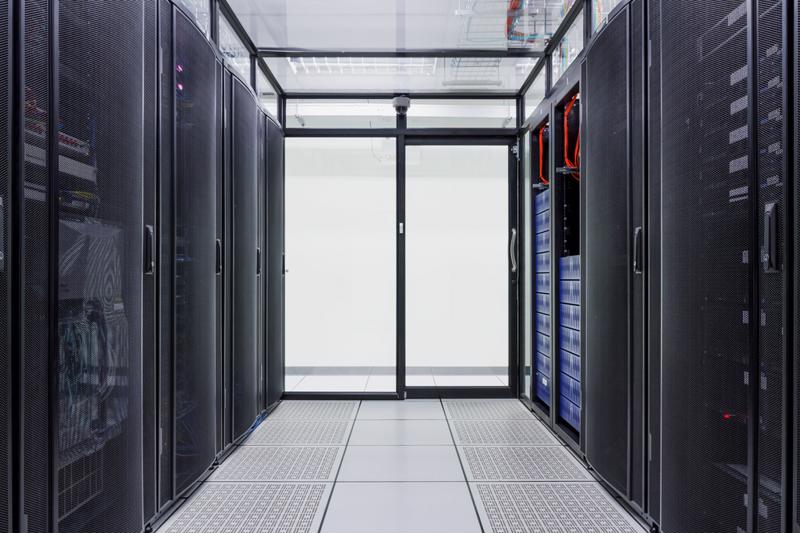
Colocation has benefits across multiple organizations. Many different kinds of businesses can benefit from off-premises data storage.
Who benefits the most?

While we’ve already discussed the cost advantages of colocation, reduced capital expenditures are something just about any company could benefit from. Colocation has advantages for businesses of all sizes, but it truly excels for smaller companies or organizations that are predicting a lot of growth in their business. This is because colocation works wonders when it comes to scalability.

When your business grows, your data needs grow with it. While you obviously want your operation to continue to develop and mature, handling these increased data storage requirements can be incredibly hard to handle. In past years, scaling up generally meant having to requisition more and more space for your servers. If your business was still in its infancy or your facility just didn’t have a lot of space, this was a lot easier said than done.

With a colocation package from a managed service provider, the sky’s the limit in terms of your data needs. Scaling up simply requires the purchase of new hardware as well as a renegotiation of your terms. Never again will you have to worry about where you’ll put yet another server.

What should you be looking for in a colocation partner?

You’ve taken a hard look at the data and scalability requirements of your facility and have decided that colocation is right for you. Now it’s time to search for a provider that can give your company what it needs. When it comes to selecting a partner, there are a few requirements every business owner should be aware of.

First and foremost, you should do research into what kind of surveillance you can expect from this provider. Will your data systems be monitored at all times by a fully-functioning staff? If so, how knowledgeable are these employees, and will they be easily reached in the event of a late-night IT issue? On top of that, you need to know if the facility has backup generators in the event of a power failure.

“40 percent of small businesses close permanently after a natural disaster.”

Aside from these concerns, another area you should focus on is the MSP’s involvement in disaster recovery. Harvey Betan, a business continuity consultant, stated in a TechTarget article that colocation facilities work well as a backup disaster recovery location, as they are generally meant to be far away from your building. Considering the Red Cross has reported that nearly 40 percent of small businesses close permanently after a natural disaster, having your data in a separate location could prove incredibly useful.

Thankfully, ISG Technology has the ability to facilitate all of these needs and more. After years of experience in the disaster recovery business, ISG Technology can help ensure the safety of your data. What’s more, we guarantee 24/7/365 monitoring of the data systems within our facility, and our backup generators help to ensure you can access your data when you need it most.

Colocation: Having your cake and eating it too (Part 1 of 2)

With all of the information collected as a normal course of conducting business these days, it’s not surprising so many companies are beginning to focus more heavily on their data storage needs. Keeping things in line used to mean having a properly labeled file cabinet, but client information has evolved well beyond this.

As a solution to storage woes, many companies are beginning to lean toward colocation. This is where a business takes its own servers and stores them at an outside data center. Once the servers have been transported, the facility’s staff take care of requirements such as cooling and bandwidth. The popularity of this service has been exploding recently, and MarketsandMarkets has predicted the global colocation market to be hit more than $54 billion by 2020.

Colocation is an amazing innovation, so let’s take some time to discuss the advantages of this service in depth:

Colocation has a lot of benefits. Colocation just makes sense for many businesses.

Advantages you can expect

As touched on above, one of the biggest reasons companies make the switch is that they don’t have the ability to actually care for their servers. Whether it’s a concern about not having the proper staff to care for the machines or even just not having the physical space, colocation allows companies the unique opportunity to utilize data center services without actually building one themselves. CAPEX and OPEX costs such as these are severely reduced when implementing a colocation solution, allowing business administrators a little more breathing room in their budgets.

On top of receiving services like server cooling and power without directly having to pay for them on premises, companies that purchase a colocation plan are also likely guaranteed certain conditions under their service-level agreement. According to TechTarget’s Margaret Rouse, an SLA may include anything from uptime guarantees to performance benchmarks.

“Data is at the center of your business.”

Another amazing benefit of colocation is that the managed service providers within the data centers often also offer disaster recovery solutions. While this is certainly a great addition to a colocation package, it also means that a facility that provides disaster recovery is most likely safer than any other company you’ve ever dealt with. These professionals are experts at mitigating the risks of a disaster, which means your servers will be incredibly secure in their hands. Data is at the center of your business, and making sure that it’s safe should be your top priority.

ISG Technology can help you implement a solution

If you’re thinking of taking advantage of this amazing innovation, there’s been no better time than now. ISG Technology is a leading colocation expert, with years of experience satisfying the data storage needs of our clients. Even a single server can be relocated to an ISG Technology facility, making this service right for businesses of multiple sizes.

Although colocation has quite a lot of advantages, certain companies can benefit more than others by implementing such a solution. In the second part of this series, we’ll delve more deeply into which organizations can expect the most out this service.