
Shadow IT: What it is and how to mitigate it

Technology has advanced at an incredibly fast rate in the past few years. Innovations such as the computer that were once thought too expensive for personal use are in a vast majority of American homes, and the emergence of the smartphone has increased the internet’s reach even further.

It would seem that every day some new device or piece of software is making life easier for people, and while this may be good for the consumer, it poses a major risk for IT administrators. The in-office use of these kinds of technology is called shadow IT, and it’s causing some big problems for organizations all over the globe.

How is shadow IT formed?

“The issue at hand here has to do with an employee’s personal convenience.”

The issue at hand here has to do with an employee’s personal convenience. As a rule, shadow IT very often forms when a worker decides to go outside of the company-supported suite of software and hardware in order to use something he or she is more familiar with.

A good example of this would be an employee that gets fed up with a certain file storage/exchange system. They don’t know how to work this platform, so they decide to use a free service that they’ve relied on before.

While this may solve a convenience issue, this employee is now moving company information around utilizing a platform that isn’t supported by the internal IT team. This creates a gaping security vulnerability that a hacker could work to exploit.

BYOD can help foster it

An aspect that a lot of administrators don’t consider is that shadow IT doesn’t just pertain to software or digital platforms. As TechTarget contributor Margaret Rouse points out, hardware is also part of the equation.

Your employees have all kinds of personal devices that they use at home, and they bought them for good reasons. They have experience with this tech, and this can very easily translate to an increase in productivity.

In fact, the bring-your-own-device trend hinges on this exact principle. BYOD allows organizations to sidestep paying for new equipment by simply allowing workers to bring in their own gadgets. On top of that, staff members get the unique ability to complete daily responsibilities with the tech they know and love.

When done properly, this is a perfect example of a win-win scenario. However, a BYOD deployment must be implemented properly. The IT team needs to handle this transition to ensure that the devices in question are properly secured against hackers. Without some kind of security procedure on the books, companies could be looking at a data breach.

The problem is that employees very often don’t know about the risks involved here. Again, without any sort of maliciousness, they’re simply thinking of their own convenience and choose to bring in their own gadgets without clearing it with company officials. In fact, a survey from Gartner found that more than one-third of respondents were currently completing work-related tasks on personal devices without telling anyone about it.

This is huge because the average person simply does not take the time to properly secure their gadgets on their own, especially considering the high standards of data security many industries need.

A consumer affairs survey found that only 8 percent of average smartphone owners had software that would allow them to delete the information contained on their phone should it be stolen. While most people would worry about the photos and other irreplaceable memories in the event of a theft, a stolen smartphone can easily turn into a major data breach should the wrong person get their hands on the gadget.
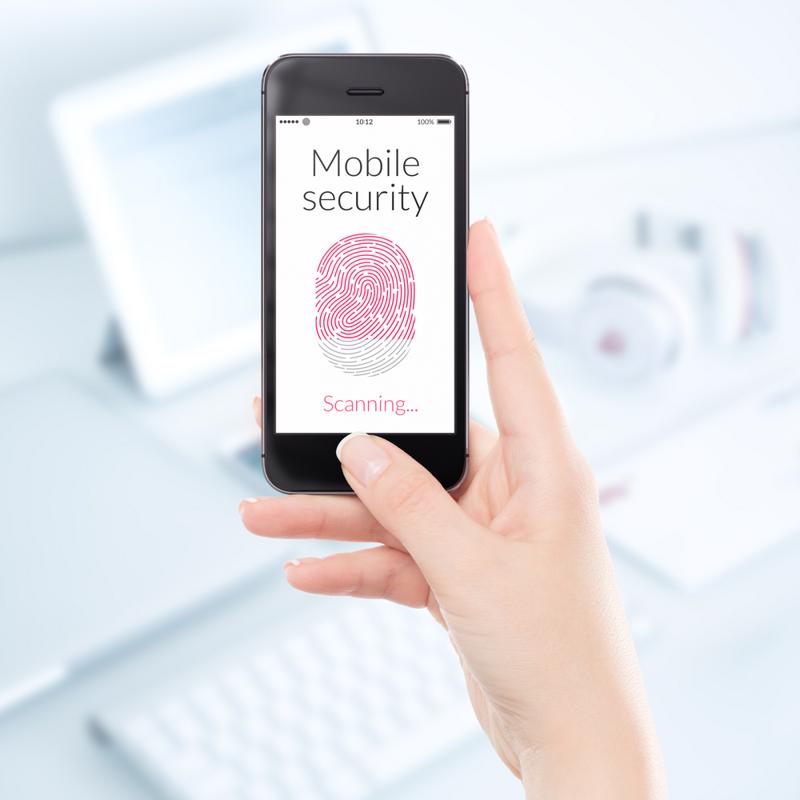
Smartphones used for work must be secure. Smartphone security is incredibly important in a BYOD plan.

Companies must take action

Clearly, shadow IT is no laughing matter, and organizations must take decisive action in order to mitigate the risks of a data breach. So, what would this look like?

First and foremost, set up a meeting with employees to explain the consequences of their actions. As stated, it’s not that these workers are actively trying to sabotage the company. Rather, they simply don’t understand that using a personal device or outside software could cause serious harm. These people simply need to be educated about what can happen when they step outside the approved systems.

Second, to attack unlicensed BYOD directly, administrators must come up with a plan. This could include banning these gadgets outright, but doing so is nearly impossible to enforce, and completely misses all of the advantages BYOD has to offer when done correctly. A better option may be to simply work with a vendor that knows how to implement a secure system to regulate these devices.

Finally, it might be important to figure out why employees were using outside tech to begin with. Are current solutions not doing what they’re supposed to? Do you need to implement training sessions? Would it be best to simply move on to a different platform? Answer these questions and you can work to find the root of the problem.

Securing A Mobile-First Digital Workplace

With the growing millennial presence in the workforce today, it’s safe to say GenMobile has definitely arrived. GenMobile isn’t about a specific age generation; rather, a “changing-how-we-do-work” generation. Think about how we do things today versus five or even ten years ago. No longer do we need to come into a dedicated office space between specific hours of the day to get our work done. GenMobile is an always-on-the-go, yet more-connected-than-ever generation, and it’s changing the way IT responds to their business needs.

Today, mobility is everywhere – and it can benefit everyone. If you are an employee, and your child is sick at home, you can be home with them and still meet your deadline. Maybe you are more focused at ten o’clock at night, versus ten o’clock in the morning.  Employers benefit from mobility for those same reasons.

Mobility also affects the business-to-consumer relationship as well. As more companies develop applications that customers can interact with on their smart devices, both parties benefit. Customers benefit from a variety of ways – from product information and reviews to location-based services that lead them around the workspace. Businesses pull valuable information about their customer base through these apps – from what products are generating a lot of interest online, to where customers are spending their time, and when.

Workspaces are changing as well. IDC claims there are over 1.3B mobile workers today, or 1.3B people who aren’t tied to a specific network port. Think of that unoccupied cubicle space in your office. Can you tell me that 100% of your cubicles are in use by a specific employee – not as storage space – as an actual desk space? On average, these spaces are sitting unused at $14k per cube. If it fits the needs of the workspace, what’s holding an organization back from going wireless?

The Internet of Things couldn’t be what it is today without mobility. IoT is all about the sensors, and most of those sensors connect wirelessly. IDC claims that by 2017, 90% of datacenter and enterprise systems management will rapidly adopt new business models to manage non-traditional infrastructure and BYOD device categories. That screams IoT. The only thing more important than those sensors, is securing the data that those sensors are gathering. If the integrity of the data is compromised, what’s the point of the sensor?

With all of these changes in mobility, and everything already coming from IoT, how do you respond? How do you accept these business-advancing changes while keeping your company secure? It all comes down to access – who has access to what on what device at what time. How do you enforce changes as your business changes? Let’s take a look at a few features that will help.


Authentication and Authorization

802.1x – It doesn’t matter if it is wired or wireless, 802.1x provides a great level of control over network access. Being able to throw a connection to a quarantine VLAN if/when needed keeps internal data and services safe.
Device Profiling – Having specific information about devices on your network can help create workflows and enforcement policies. It allows you to know what behavior you should expect from the device, and take action when that device is exhibiting unexpected behavior.

Identity-based Security – Not everything connects to the network through a wired port. The system needs a way to find out who is on the network, so that it can enforce proper permissions to its users.


Network Access Control Services

Device Differentiated Access – Being able to control not only who has access, but by what device, can help keep expected connections safe and unexpected connections off the network.

Managed Guest Access – Setting up an open Wi-Fi network with an Internet connection is not a guest network anymore. Bandwidth throttling, self-registration, and connection length monitoring are a few capabilities you need to have to provide a safe guest network.

Health/Posture Checks – Making sure that trusted devices are staying compliant before they reconnect to the network keeps networks safe.


Architecture and Coverage

Scalability – You never want to paint yourself into a corner when architecting a solution. Business growth shouldn’t mean ‘ripping and replacing’ architecture. Scalability is key.

Context Capture – Sharing information between systems can be extremely valuable. Why can’t your NAC solution benefit from information that your MDM solution has?

3rd-Party Integration – What happens when two companies merge? Often times, multiple hardware platforms are a result, but multiple connection scenarios shouldn’t be. IT needs a solution that has the ability to control a wide breadth of hardware, so the users see the same connection experience, regardless of what they are connecting through.


Management and Visibility

Workflow Automation/Template-Based Simplicity – Workflows should be easy enough for users to follow successfully, yet structured well enough that IT gets the information they need from them. These workflows can be created from templates – standardized, that all IT tiers can support them and a win-win for both users and IT staff.

Intelligent Reporting – This term shouldn’t seem like an oxymoron anymore. With a system that is natively aware of all of its parts, reporting should be simplistic yet specific. No more need for a flood of reports, just the ability to piece together what you’re looking for.

At the core of these 4 feature sets is security. The individual pieces of these feature sets are useful, but without security being at the core, they are worthless. Deploying security that works behind the scenes without interfering with a user’s productivity is what the industry is yearning for.

3 Steps to Data Security.jpgIf we combine these 4 feature sets together and we make sure that security isn’t just a ‘bolt on the door’ but an actual part of the solution or part of the DNA, what do we get? At its most foundational level, we get IT adapting authentication to mobile requirements. To do this, we really need 3 things – policy, context, and visibility. We need policy to help us control who we have connecting to what and from what device. Context identifies users and their devices and helps keep policies and enforcement current. Visibility is what ultimately allows us to see how effective our policies are, and gives us the eyes we need for effective troubleshooting. Policy, context and visibility are their own separate powerful entities, but making them work together is far more powerful.

So, IT adapting authentication to mobile requirements seems obvious enough. After all, users need what they need and IT needs what they need, but there’s no reason why both parties can’t have their cake and eat it too. Have you met my friend, Aruba ClearPass?

Aruba has put together a pretty sophisticated authentication engine to run access to your network. ClearPass can handle everything – from onboarding devices for part of your BYOD strategy to managing access to your guest network to providing enterprise AAA including RADIUS and TACACS+. ClearPass also has over 100 vendor dictionaries to make sure that regardless of your hardware platform, ClearPass will be able to not only communicate with it but also make sure that your policies are being enforced through those devices. Having all of these possibilities through one product and not bolted on or piecemealed together, helps ensure consistency throughout the entire ClearPass experience.

New Call-to-action

Tech in law

Technology today is all about doing more with less, and nowhere is that more apparent than in the legal industry. This sector’s market in the United States has been valued by the Legal Executive Institute to be worth around $437 billion, and with so much money invested, administrators in this field are doing everything they can to streamline the legal process. But what kind of technologies are law firms adopting?

“The cloud has quite a lot of benefits for those working within law.”

The cloud and e-discovery

Like in every other industry, the cloud has quite a lot of benefits for those working within law. Although this technology has a wide range of uses, perhaps the most relevant for legal firms is its ability to quickly and efficiently implement e-discovery applications.

When legal proceedings begin, lawyers start what is called the discovery process. As the name entails, this is where employees at the law firm comb through hundreds or thousands of documents in order to uncover any wrongdoing and to get to the heart of the matter. This is often an extremely inefficient way to handle discovery, and can very easily result in a worker missing a crucial piece of evidence.

Computers are better at discovery than people. Computers never skip a sentence or fall asleep on the job.

E-discovery applications work to cut through this process by using specific searching algorithms to find what the lawyers are looking for. Computers are infinitely better than humans at searching large amounts of data, which is why many law firms have opted to include this technology in their arsenals. However, when choosing to work with e-discovery applications, these organizations have to make a choice between on-premises computing or accessing this technology through the cloud.

Even though e-discovery is revolutionizing the legal industry, it has also increased the risk of a data breach. These documents are often extremely private and contain personal data that a hacker could later use for personal gain. This need to keep information secret certainly isn’t specific to law, but it’s something that is keeping many firms out of the cloud.

However, as many experts have noted, the cloud really isn’t as unsafe as many believe it to be. In fact, Big Law Business contributors Daniel Garrie and Yoav M. Griver stressed that on-premises computing systems can be hacked just as easily as the cloud. Considering the initial costs associated with setting up an in-house computing solution, avoiding the cloud because of a false sense of danger is a mistake.

Contract management software

Another technology a lot of law firms are seeing the benefits of is contract management software. This is a platform through which administrators can easily view the progress of each contract they have created. Modifications can be made quickly and easily to unsigned contracts, allowing everyone with access to the system the opportunity to read and comment on the exact same document. Lawyers can even view how well signers are following up on their obligations on existing contracts.

That said, perhaps the most interesting part of this technology is its ability to manage digital signatures. One of the biggest issues holding legal firms back from adopting more advanced solutions is the fact that a physical ink signature is seen to hold more weight in court than a digital one. This viewpoint is rapidly changing, however, thanks in part to contract management software.

BYOD

The bring-your-own-device trend is sweeping just about every industry, whether company administrators know about it or not. In fact, a Gartner study found that around 37 percent of people currently using their own gadget for work purposes don’t currently have permission. Considering how people often don’t protect their mobile devices, this is an absolute nightmare for the IT department.

In fact, quite a lot of organizations have had to deal with hackers due to the increased use of personal gadgets for work purposes. A study conducted by IDG Research Services discovered that just under three-quarters of respondents saw a data breach event as a result of poor cybersecurity measures concerning mobile devices.

That said, BYOD has some amazing benefits for legal firms. Lawyers often meet with clients outside of the office, and carrying around important documents is cumbersome and can result in lost or stolen client information. What’s more, other staffers who aren’t lawyers are seeing similar advantages. While this is good in terms of flexibility and mobility of the workers, it’s also putting a major strain on the IT team. Employees should be able to use their own devices to access company data, but only after having implementing certain safety guidelines.

This is why any organization wishing to ensure the security of company records should contact an ISG Technology BYOD specialist. Our experts have years of experience with this trend, and we know what it takes to keep a law firm’s data safe.

Options For Cloud Communications Infrastructure

Register to receive the ISG white paper


cloud-comA business has many priorities.  With so much on your mind, your phone system might be something that you haven’t thought about in a while. Perhaps you have a few phone lines or a trunk that connect to an internal system like a private branch exchange (PBX). It seems to do the job, but are there modern alternatives out there that might help your business be more productive?
For many years, ISG Technology engineers have designed and installed customized on-site sophisticated phone systems with advanced features, such as video conferencing and collaboration tools. But those solutions can require relatively large up-front investments in equipment, which doesn’t work for every business. Now, ISG Technology is also offering an impressive array of communication capabilities to businesses using Voice over IP (VoIP) technology and a cloud-based Hosted Voice service.

Register to view an informative white paper to help you understand your hosted options and make the best choice for your business.

Video: Bringing IT All Together

Click this fun animation to see how ISG supports IT teams with managed services and infrastructure solutions. Our experts help you manage innovation projects such as shared storage, virtualization, disaster recovery, security, mobility and UC collaboration projects.


Join the ISG Technology Team


Unified Communications

unified-communications

The True Value of Cisco Communications Solutions

Industry: Healthcare

Formed in 1989, Kansas Medical Mutual Insurance Company (KaMMCO) is the state’s largest liability insurer, serving physicians, hospitals, and other health care professionals. Headquartered in Topeka, Kansas, the member-directed company has three branch offices throughout the state and approximately 80 employees.

Challenge

Formed by Kansas physicians, KaMMCO is a trusted insurance provider for approximately 3,700 health care professionals and facilities throughout Kansas and in the greater Kansas City area. However, its aging Nortel communication platform fell short of the company’s reputation, needs, and goals. Employees had to dial 800 numbers to connect with coworkers in any of the company’s four locations and they couldn’t transfer calls, which threatened to impact internal and client satisfaction.

In October 2006, as KaMMCO planned for a major addition to its headquarters, the company decided to upgrade its existing Nortel system to a more advanced Nortel VoIP solution that would allow direct interoffice calling. So when a company executive suggested to Andy Grittman, KaMMCO CIO and vice president of MIS, he meet with Salina, Kansas-headquartered ISG Technology, Inc., to explore a Cisco solution — he was hesitant.

In December 2006, Grittman somewhat reluctantly met with the 143-employee Cisco Premier Certified Partner with eight additional locations in Kansas, Missouri, and Oklahoma. “As a happy Nortel client, I was less than thrilled with the prospect of a Cisco telephone system,” explains Grittman. “But in the course of a two-hour meeting with ISG, I opened my mind to the possibility. And over the next several weeks, ISG demonstrated that Cisco was far more than just a telephone system. It’s a foundation that KaMMCO could build on to meet future needs. We signed the contract January 31, 2007.”

Solution

ISG began the five-month implementation in March 2007, installing a robust Cisco network infrastructure including Cisco Catalyst switches and Cisco Integrated Services Routers.

ISG also installed Cisco Unified Communications, a single system that provides powerful new ways to collaborate. To that, ISG added Cisco Unified Communications Manager, an IP telephony call processing system; Cisco Unity, a voice and unified messaging platform; and Cisco Unified MeetingPlace Express, an integrated voice-, video-, and Web-conferencing solution.

To enhance internal and client communication, ISG implemented a Cisco Digital Media System. The comprehensive suite of digital signage, enterprise TV, and desktop video applications allows KaMMCO to quickly and easily connect and collaborate.

ISG secured the infrastructure with Cisco Adaptive Security Appliances (ASAs) that stop attacks before they impact business continuity.

Results

“The Cisco solution has made us a stronger organization across the board.”

Andy Grittman, KaMMCO CIO and vice president of MIS

“The Cisco solution has made us a stronger organization across the board,” says Grittman. “With four-digit dialing and video conferencing, we communicate instantly and more effectively between branches, which has increased productivity by about 20 percent and cut travel by as much as 90 percent.

“We’re also now able to deliver more services to our insureds without raising premiums, which better positions us nationally and globally as a vested partner in health-services delivery versus just another insurance company.

“One of my prerequisites for a new phone system was to be heavily involved in the implementation. While other technology providers might cringe at this, ISG embraced my desire for knowledge and made me an active participant during configuration and installation.

“We now have a reliable, scalable communication foundation to which we can cost-effectively add new technologies as we grow, and we’ll continue to partner with ISG and Cisco along that road.”

Hosted Voice Enables Mobility For Legasus Group, LC

Industry: Business Management

Legasus Group, LC is an advisory firm that works with families in business to perpetuate and sustain family enterprises. Smoothing transitions from generation to generation, Legasus Group advisors integrate relational and managerial sciences within a living systems model to better utilize the potential and talents of all stakeholders.

Click to read the case study

Challenge

Since Legasus Group teams frequently travel to their client sites, they require a mobility solution that helps them access their records and files on the road. Previously they had used a local IT service provider and another provider for internet and voice, creating difficulties with maintaining a high level of quality of service.
“There was a lot of finger pointing,” said Matt Kuzma, Chief Operating Officer at Legasus Group. “We had a hard time resolving issues through to completion, because no one was taking responsibility.”

Solution

Legasus Group became familiar with ISG Technology after attending an overview of ISG Hosted Voice and bandwidth offerings, which they felt was a good fit with their strategic goals. They put out a bid for distributed access, so that their team could work remotely with the same experience as if they were in the office. Legasus Group detailed required business outcomes, and asked bidders to submit their best recommendation.
“We decided to pursue the relationship with ISG. It was very intriguing to have a single service provider that could address all our service needs,” said Kuzma. “Their Hosted Voice solution gave us powerful features that help our team accomplish their work and remain in touch while traveling.”
ISG delivered bandwidth connectivity, a new server, and rolled out their business class Hosted Voice solution. This was accomplished in a one-month transition timeframe.

Results

Kuzma set an aggressive cutover goal at first, and worked with ISG to put the planning in place. The team worked back and forth to give enough time to get the server up and rolling and all relevant permissions migrated to the cloud. “I wasn’t expecting a magic wand. The ISG team worked to find resolution for a few issues that cropped up. They diagnosed the root problem to find a quick resolution,” said Kuzma.

Getting Hosted Voice implemented went smoothly, and all the phones were swapped out at once.

“When we have technical problems, we call or email the issue to their Support Center and ISG will diagnose to fix the issue. They send a complete ticket with all the details documented, and the techs are knowledgeable and courteous,” said Kuzma.

“We have a hybrid model accounting software that is server based, and our response times have increased since the move. Best of all, ISG has lifted the burden of managing the server off of our plate.”

The Client’s View

“ISG listened closely up front to understand our needs, and then delivered a partnership solution that makes the most sense for Legasus Group. With continued support from ISG Hosted Voice, our team can get their jobs done while they are on the road.”

Matt Kuzma
Chief Operating Officer
Legasus Group