Why should your company fear social engineering?

Cybersecurity may be the biggest issue facing the enterprise. The costs of dealing with an attack are through the roof, and experts believe it's only going to get worse. The Official 2017 Annual Cybercrime Report from Cybersecurity Ventures predicted that by 2021, cybercrime would cost the worldwide economy around $6 trillion

With so much money funneling into the criminal underground, it's easy to see why so many companies are terrified of a hack. To satisfy this urgent need for data safety, businesses have started to invest in highly-complex technologies aimed at catching digital incursions before they get out of hand. These systems are certainly necessary in this day an age, but many administrators mistakenly think they're the only way to secure information. 

In fact, many hackers actually rely on a technique called social engineering. This approach is incredibly successful, mainly due to the fact that companies don't plan for it. To help officials stave off such an attack, let's explore exactly what social engineering is and what you can do to prevent it. 

How does social engineering work? 

Although the term is used to discuss a certain type of attack, social engineering actually encompasses a wide range of hacking techniques. That said, they basically all boil down to using human error to accomplish a goal. 

For instance, a hacker may come to find that he needs login credentials to access a certain data set. One popular technique in such a situation involves the hacker calling the front desk to say that they've just been hired at the company. They could spin a sob story about not being able to gain access to a certain system and will plead for help. If this cybercriminal has the right charisma, he can pretty easily persuade someone into giving him exactly what he wants. 

Another way hackers rely on social engineering is by physically breaking into a company's office. In the same scenario where the cybercriminal needs login credentials, he might put on a pair of overalls and say he's an electrician. If he can make it past the front desk, he might get lucky enough to find a person's username and password written on a sticky note on their computer. If he's not that fortunate, he could even install a keylogger on someone's machine that could give him the information he needs. 

Every person allowed into the office needs to be vetted. That friendly electrician may not be as innocent as he looks.

While these two scenarios aren't the only ways social engineering techniques are deployed, the point is that all of these attacks rely on unearned trust from your employees. People want to help those in need, and hackers use this desire to get what they want. 

Companies just aren't prepared

Due to the fact that social engineering relies on good-hearted people just trying to be nice, there's a real chance that your company is at risk. This is especially true of employees who have to be helpful by nature of their position, such as receptionists and HR workers. However, this epidemic reaches just about every inch of most companies. 

"Two-thirds of employees will give out information like their Social Security numbers."

A security company called Social-Engineer took a deep look into just how big of an issue this hacking technique is. They found that around 90 percent of employees will give up their names and email addresses without even confirming who's calling. That's certainly an issue, but the real problem is that around two-thirds of employees will give out information like their Social Security numbers. On top of that, Social-Engineer has a perfect record when it comes to physically breaking into an office, which shows just how vulnerable companies are. 

How can you avoid an attack? 

Clearly, a majority of companies are in serious risk of a breach due to social engineering. Thankfully, there are some steps administrators can take in order to lessen the chances of an employee making a grave error. 

To begin, you'll want to hold a mandatory meeting for all employees about security. If possible, try to break up the courses by department so you can discuss specific needs with all the different professionals at your company.At these meetings, you'll need to discuss social engineering attacks like impersonation and phishing, as well as how to report these issues should one arise. 

Finally, and perhaps most importantly, you'll want to lower the number of individuals who have access to admin privileges. The more people you have with access to every system, the larger your attack surface area. 
3 Cybersecurity Tips For 2018

Cybersecurity has become one of the most important areas of study for the new millennium. With so much data being traded and stored in the digital landscape, it just makes sense for criminals to focus their energy on this new means of theft. 

That said, the simple novelty of hacking in terms of human history means that companies are still trying learning and adapting to the new threats facing them. For example, the idea that a criminal could hold your information hostage would have seemed ludicrous a few years ago. Now, society is dealing with ransomware attacks like the 2017 "WannaCry" malware that experts have estimated cost the economy around $4 billion

The world is changing rapidly, but this doesn't mean your organization has to be left behind. The next year certainly holds surprises for the cybersecurity industry, but following these tips can help prepare your company for the worst of it. 

1. Backup your data now

Data is at the heart of any company's success. It's simply impossible for organizations to function without information, which is why it's so shocking that so many businesses don't properly backup the data they create and collect. 

To begin, not doing so is simply an accident waiting to happen, especially for small businesses. In fact, a study posted by Small Business Trends found that 58 percent of small organizations are not at all ready for a data loss event. 

However, the truly frightening aspect of this is the fact that a robust backup system is often the best protection against a multitude of attacks. The best example of this is ransomware, which is where the hacker encrypts the data on a device or network and will only unlock it when paid a certain amount of money. What's more, security firm SOPHOS stated that the increased market for ransomware kits on the dark web is going to lead to a rise in attacks in 2018

Wiping the ransomware from a gadget without removing the data itself is next to impossible most of the time, which is why many experts recommend 3-2-1 backup. This process requires three copies of a piece of data where two are stored on different mediums – such as the cloud and a physical drive – and one must be kept offsite. 

Those looking to boost their backup system should consider the Backup-as-a-Service model offered by ISG Technology. Our top-of-the-line system uses the cloud to implement robust backup, which allows you to utilize multiple mediums and store data offsite. 

2. Discuss security with your employees

Although a lot of people think of high-tech solutions when it comes to cybersecurity, the fact of the matter is that a huge portion of successful hacks have to do with something called social engineering. This is where the cybercriminal uses pity, deceit and emotional manipulation to get what they want out of an employee. 

"Just about every person is vulnerable to social engineering."

Most people don't know it, but just about every person is vulnerable to social engineering. In fact, experts at security firm Social-Engineer have found that around 90 percent of the employees they try to hack end up willingly giving up their names and email addresses without even confirming the identity of the person asking. But that's not all. Around two-thirds of people will give their Social Security numbers, birthdays or employee identification numbers. 

Clearly, this is a major attack vector and it makes sense that hackers would exploit it as much as they do. Therefore, it's important to educate employees on the multitude of ways a cybercriminal could use their benevolence against the company. 

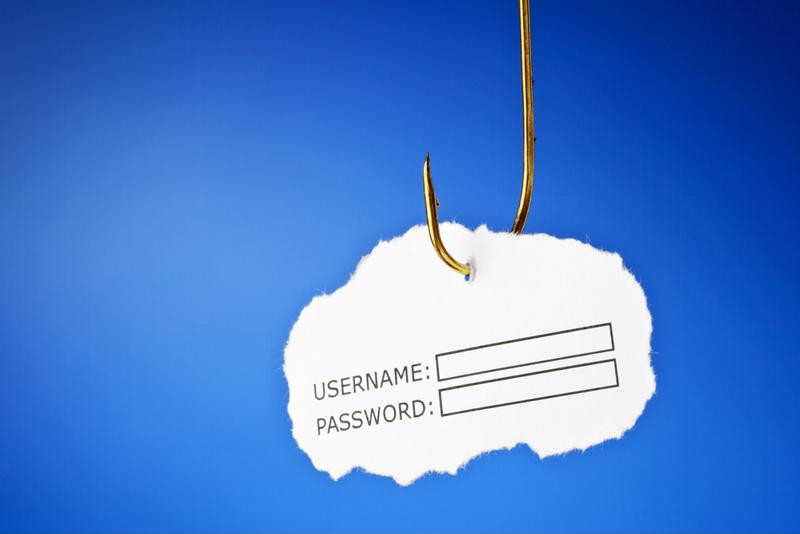
To begin, employers must emphasize the importance of vigilance when it comes to email. Hackers love beginning their attacks through something called phishing, which is where they send messages to workers in the hopes that one of them will click a link or give up sensitive information. However, the real problem many companies are dealing with these days is spear phishing, which is where the hacker targets a specific person by using information about them to convince them the email is legitimate. 

According to PhishMe, attacks of this nature rose about 55 percent in 2016. What's more, around 91 percent of data breaches can be traced back to an original spear phishing email. 

Companies need to be scared of phishing. Phishing is a huge issue that many companies aren't taking seriously.

Therefore, it falls upon employers to convince employees of the importance of email security. This should certainly involve a company-wide meeting discussing the risks, but it's also vital that administrators set up tests for workers to see if they'll fall for such an attack. Hackers have been relentless with spear phishing and it looks like that will continue in 2018, so the best way to avoid such an issue is to stress email security now. 

3. Keep an eye on mobile security

Mobile devices aren't a luxury anymore. They're a vital necessity for workers all over the world, and ignoring this fact could have enormous security ramifications. The Pew Research Center found that 77 percent of Americans owned smartphones in 2016, This is causing a lot of companies to understand the value of the bring-your-own-device trend, which allows employees to use their own gadgets for work-related purposes. 

While BYOD is certainly a huge step forward, the fact that many organizations are ignoring it is extremely dangerous. Gartner found that around 37 percent of employees are currently using their own devices for work without the knowledge of their employers. 

The ramification here is that a huge number of devices are accessing sensitive company information without any sort of uniform security system protecting them. 

While the importance of security measures must be stressed to employees, ignoring BYOD is most likely doing your company more harm than good. Therefore, the new year is a great opportunity to reorganize how your business handles employee-owned devices. 

The future may be uncertain, but that shouldn't paralyze you. By taking the proper precautions and being prepared for whatever cybercriminals can throw at you, you can avoid the biggest mistakes and ensure the success of your firm.

Video: ISG Security – Put Trust On Your Side

Just as quickly as new technologies are developed to secure the information your organization is responsible for, cybercriminals are discovering new ways to get in. And to do it, they’re exploiting one thing – trust.

When you put ISG Technology to work for you, you don’t just put industry leading security experts on your team, you put security at the top of your priority list. You put the concern that someone might be selling you a short-sighted solution to the wayside. You put trust back where it belongs – on your side.

Get Our Whitepaper: 5 Things You Probably Trust, and How They Affect The Security Of Your Business
Download Now

Video: The Anatomy of an Attack – Vol. 1

Watch Cisco’s Ransomware Video: The Anatomy of an Attack to see how an effective ransomware attack comes together. This is why today’s enterprises require effective security. Learn how Cisco Email Security and Umbrella DNS provide dynamic security against ransomware. Umbrella DNS is cloud-based to provide security for all users on or off a network – essential cover for mobile devices and employees working out of office.

Only suspicious websites are redirected by Umbrella DNS for further investigation, offering robust security without compromising network speed or performance. If you manage to connect to a malicious website, Umbrella DNS blocks the site from requesting data, protecting your network until the threat is removed.

When you put ISG Technology to work for you, you don’t just put industry leading security experts on your team, you put security at the top of your priority list. You put the concern that someone might be selling you a short-sighted solution to the wayside. You put trust back where it belongs – on your side.


How trust can impact business security

While you might want to place trust in elements of your business, it’s always necessary to keep on your toes. Learn more about how trust can impact your security and what to do about it by looking at the biggest risks in this infographic.


Biggest cybersecurity mistakes businesses make

WannaCry attacks in June and NotPetya breaches this month serve as stark reminders that cyberattacks are still a very real threat and that businesses must protect themselves. The Black Hat Attendee Survey found that a majority of professionals believe that they will have to respond to a major breach of critical U.S. infrastructure within the next two years. However, are these organizations and other companies ready to face damaging breach events? Let's take a look at some of the biggest cybersecurity mistakes that business make:

1. Trusting your employees

Human error is the single largest cause of security breaches, network infections and data loss. While your employees might be reputable individuals, that won't prevent them from falling victim to a phishing attack or other malicious downloads. Harvard Business Review contributor Marc van Zadelhoff noted that misaddressed emails, stolen devices and confidential data sent to insecure systems are all very costly mistakes that well-meaning insiders can make. Hackers are even adept at leveraging stolen credentials to increase their access within a network to steal sensitive information.

"Understanding the users who hold the potential for greatest damage is critical," van Zadelhoff wrote. "Addressing the security risks that these people represent, and the critical assets they access, should be a priority. In particular, monitor IT admins, top executives, key vendors, and at-risk employees with greater vigilance.

Human error is the biggest cause of data breaches.Human error is the biggest cause of data breaches.

The biggest issue here is that infiltration techniques are becoming so sophisticated, they look legitimate and can fly under the radar of some security tools. To reduce the risk of human error, it's essential to go back to the basics, with comprehensive training for safe internet use practices. Educating employees will raise awareness and be a major step toward reducing the potential threat surface. Leaders should also enforce company use policies and establishing proper technology use protocols when working at the office and remotely.

2. Having faith in the technology

Technology exists to solve specific sets of problems, but relying on it too much might be your downfall. Failures can cost time, money, productivity as well as the trust of partners, customers and employees. It's important to setup the right solutions and create policies to guide staff through worst case scenarios. Dark Reading contributor Roman Foeckl noted that using just an antivirus and a firewall is not enough to secure data anymore. Threats have significantly evolved and are continuing to advance at a rapid rate. It's within your best interest to update your security systems to ensure it's maintained correctly and will address the newest threats.

Establish procedures around data loss prevention and test them on a regular basis. Ensure that you can recover quickly and that you have a plan B instated in case your critical assets fail. This will help ensure that your policies are effective and that the data will be protected appropriately. Staff members should also have the necessary knowledge and support to use the technology effectively and mitigate potential risks.

"Unencrypted devices create a massive problem as anyone could gain access to sensitive information."

3. Ignoring the basics

While many organizations are focusing on establishing sophisticated cybersecurity structures, it's important to start with the basics. For example, organizations might not encrypt their laptops or business cellphones. Unencrypted devices create a massive problem as anyone could gain access to sensitive information and business resources, the National Federation of Independent Business stated. Measures should be in place to scramble data in case someone without the encryption password tries enter a lost or stolen device.

Some companies also don't have strict password enforcement. Employees might use a simple password or could leverage the same password across multiple channels. These situations make it easier for hackers to get into sensitive systems and other accounts. Leaders must also ensure that any access credentials for departing employees are changed immediately. This will prevent any malicious intent and narrow the potential threat landscape. Create policies around remote wipe capabilities and what processes must be observed following a worker's exit. 

Cybersecurity is a complex pursuit, but necessary to keep businesses and their data safe. At ISG Technology, we have the expertise and means to restore your trust in your network and your technology partner. For more information on avoiding cybersecurity mistakes, contact us today.

4 tools to implement in your cybersecurity strategy

In Partnership with Cisco Systems, Inc.

Digital threats pose major risks to nearly every company across all industries. Businesses can no longer afford to ignore cybersecurity, particularly as the costs associated with lost data, downtime and reputational damage continue to rise. Regulated sectors like finance and healthcare are under even more scrutiny when it comes to protecting sensitive data and ensuring optimal performance.

Rather than taking a reactive approach and waiting for disaster to strike, organizations should act now to ensure they are prepared. Setting up necessary tools and processes will give employees the resources they need to approach the situation appropriately. With all of the available options, it can be difficult to know where to start with your cybersecurity efforts. Let’s take a look at four of the main tools that you should implement in your cybersecurity strategy:

1. Endpoint protection

In traditional office setups, endpoints might include desktops, phones and the printer, all connected and active within your network. While these relics are still within many businesses, employees are increasingly using other hardware as well to get more done and improve their efficiency. Mobile devices like laptops, tablets and smartphones are now common fixtures in the workplace and can bring a number of benefits, provided they are protected appropriately.

Endpoint protection aims to cover this widening surface area of possible attack points within enterprises. Your Daily Tech contributor Daniel Morton noted that endpoint protection accounts for malware that doesn’t involve viruses, making it more capable of detecting diverse malware strains than traditional antivirus products. As this technology continues to advance, it will be able to monitor software in real time and pinpoint situations that are most likely to be the site of attack. This is a significant step over legacy solutions and will put your organization on the best footing to secure your hardware.

Endpoint protection will be essential to limiting the attack surface.Endpoint protection will be essential to limiting the attack surface.
2. Intrusion detection

Hackers leverage a number of common attack tools to breach business networks and compromise information. Understanding these tools as they evolve will be critical to stopping malicious parties in their tracks. Dark Reading associate editor Kelly Sheridan noted that intrusion detection strategies can create situations where attackers expose themselves as a result of their reliance on common hacking techniques. Active intrusion detection and prevention effectively looks for threats and stops them before they cause any damage.

Organizations cannot afford to be passive with their intrusion detection systems. If the solution identifies any intruders, it will send notifications for organizations to act upon. It will be important for IT professionals to respond quickly to any issue and close vulnerabilities.

“Monitoring and management systems drive proactive security models.”

3. Monitoring and management

Monitoring behavior and managing risk will be an important piece of your cybersecurity strategy, as they highlight unusual activity and deliver actionable insights. However, organizations cannot simply implement these tools and then forget about them. System monitoring and risk management are continuous efforts that must be supported. Tripwire contributor Theresa Wood noted that businesses can facilitate long-term compliance continuity and reduce annual audit overhead with these solutions. Monitoring and management systems drive proactive security models, providing truly immediate detection and response in the event of an attack. These types of capabilities will be absolutely essential to improving business cybersecurity.

4. Content filtering

A large number of security breaches occur due to employee actions. Clicking on a seemingly viable link or ad can end up downloading malicious programs onto workstations and compromising sensitive information. With this major vulnerability, organizations not only have to train staff members, but also implement content filtering tools. TechTarget contributor Margaret Rouse noted that content filtering screens and excludes objectionable web pages or emails from being accessed. This can include eliminating emails that contain malicious links or redirecting a user away from a risky site. This tool will give employers peace of mind that their workers are engaging in safe web surfing practices while limiting overall risk.

Cybersecurity is becoming more complex as technology and attacker techniques advance. Organizations can leverage content filtering, monitoring and management, endpoint protection and intrusion detection tools to step up their protection capabilities. Teaming up with a managed service provider like ISG will help alleviate the pressures and security concerns that come along with managing your own network. For more information on how ISG can implement the best solutions for your protection needs, schedule a free consultation today.


In partnership with

Staying on top of the malware, known as Wanna, Wannacry, or Wcry

Over the weekend, you may have seen the headlines about a large ransomware worm bouncing from computer to computer across the world. In response to this, we wanted to keep our valued customers and partners informed about the situation. Below you’ll find a handful of resources to help you understand the situation as well as practical advice on how to address it.

An overview of the situation
This article provides a great recap of what is going on with the the malware, known as Wanna, Wannacry, or Wcry:

An NSA-derived ransomware worm is shutting down computers worldwide

What is a worm?
A worm is a piece of code that replicates without human activity, so it is especially dangerous.

What can you do?
While the best time to patch all your various Windows systems was March for this bug. The second best time to patch is now. Additionally, shutting down SMBv1 on Windows servers limits the damage. The command line for doing just that can be found here:

C:\> dism /online /norestart /disable-feature /featurename:SMB1Protocol
https://twitter.com/wincmdfu/status/863820196825387008


Get proactive
All of our managed IT services packages include network monitoring and patching and updating, so you don’t have to spend time worrying whether or not you’re up to date.

Stay tuned
As we encounter more resources that will help you troubleshoot any issues, we will share them in the comments below.

Thank you,
Your friends at ISG Technology

3 myths about Office 365 that just aren’t true

The rate of innovation involved with modern technology is increasing with every year. Companies are working hard to constantly give new features to their clients, a sentiment that is especially true of Microsoft’s Office 365. This cloud-based productivity platform has exploded on the enterprise IT scene and is completely changing how and where employees complete tasks.

Despite having been on the market for nearly five years now, those who haven’t had the chance to work with Office 365 yet still don’t know much about it. In fact, there is a portion of this population that have formulated myths based on unfounded rumors and hearsay. We wholeheartedly believe that Office 365 is an incredibly beneficial tool, and we would hate to see a company miss out on it due to unsubstantiated claims.

Therefore, we’ve put together a list of myths about Office 365 that just aren’t true, and what the reality behind the situation actually is.

Myth #1: It’s not secure

No matter which sector your company works in, one of your most important areas of concern has to be cybersecurity. This is because a data breach could seriously affect how clients view your organization. A study from Centrify found that two-thirds of consumers living in the U.S. will stop their business relationship with an institution following a major hacking event. Clearly, staying on top of your firm’s security is of the utmost importance.

This is especially true when you’re talking about a platform like Office 365. This service handles so many pieces of important information that it makes sense for people to be worried about it’s ability to mitigate the risks of a cyberattack. However, the idea that Office 365 is inherently less secure than other options is completely false.

This service has a good level of security. Office 365 is incredibly secure.

Microsoft has spent years refining and polishing the security features on Office 365, and it truly shows. This service has been built from the ground up with cybersecurity in mind, and businesses all over the world rely on Office 365 to keep their data safe. The company’s website even has a list of the most important features, which are:

  • Identity security: Ensuring that only the right employees have access to secure data is paramount. Therefore, Office 365 relies upon multi-factor authentication, which means you have to utilize multiple security credentials in order to log onto an account. This puts another obstacle between your company’s data and the hackers.
  • Data and app encryption: Encryption is by far the most important tool in the fight against cybercriminals. Office 365 utilizes this technology when information is moving between systems and when it’s stored on a particular device.
  • Responding to issues: Microsoft stated that Office follows the response tactics of the National Institute of Standards and Technology. This includes having a dedicated security team, detecting and analyzing threats, containing incidents and spearheading an investigation after everything’s said and done.

Clearly, there are too many security features baked in to Office 365 for it to be considered a vulnerable platform. Working with this tool means that your data has an added level of security that will help lower the chances of a data breach.

“One of the major selling points of Office 365 is that it clears up a lot of technical issues.”

Myth #2:  It’s going to steal your job

One of the major selling points of Office 365 is that it clears up a lot of technical issues that other platforms present to company IT teams. While it is obviously a clear advantage, some workers see this as a threat to their current position. They see all the work that they put toward just keeping their current system running, and they think if they don’t have to do this maintenance then they’ll be out of a job.

While this comes from a very real place of self worth, this is once again a very false myth. Although Office 365 will streamline certain processes and eliminate the need to constantly put out fires, it won’t completely take away the need for a robust IT department. As a matter of fact, the truth is quite the opposite.

Office 365 gives you the opportunity to explore internal goals like never before. Due to the fact that you won’t have to waste time simply fixing what should already work, you can move on to opportunities to expand your current IT infrastructure. A deployment of this platform isn’t the death of the IT team; it gives your department new life.

Myth #3: Moving from a different platform is next to impossible

This is less of a specific Office 365 myth and more of a misconception for most newer technologies. Companies very often get comfortable with their current solution, and they start to imagine that making the move to another platform would just be more trouble than it’s worth. Of course, the multitude of benefits provided by Office 365 show that this just isn’t the case. Sticking with an older solution that doesn’t work properly just because you’re used to it doesn’t make any sense, and it could end up costing your company big in terms of productivity and effectiveness in dealing with client needs.

However, making the transition can lead to certain obstacles. But don’t worry, ISG Technology is here to help. Our staff members have quite a lot of experience dealing with moves to Office 365, and we can help make sure yours goes as smoothly as possible.