Posts

Backup and Disaster Recovery: What's the Difference?

Unexpected downtime and compromised files are major threats to modern businesses as attack vectors continue to expand. As a result, many organizations are working to better protect their information through backup and disaster recovery. While these two initiatives have similar goals – protecting a company and its data – they should not be used interchangeably.

Backup and disaster recovery are two separate assets that can be used in tandem for an effective business strategy. Knowing the differences between these initiatives will help managers understand what they entail and where they fit into the grander scheme of business continuity efforts.

Backup business data

Backups are essential to disaster recovery strategies, but not every situation that calls for backups happens on a disaster scale or causes major business downtime. For example, if an employee accidentally deletes an important file, he or she can easily retrieve it if the document was archived or backed up. A backup initiative is the first line of defense against losing files due to human error or equipment failure, BizTechMagazine contributor James E. Gaskin noted. Backups are the most basic form of file security and accessibility that an organization can utilize.

Backups are the first part of a disaster recovery strategy.Backups are the first part of a disaster recovery strategy.

Traditionally, companies would back up their important data onto tapes on a scheduled basis. However, the physical nature of this technology made it vulnerable to adverse conditions and prolonged use. Once security in the cloud improved, a new doorway was opened up for businesses to store and access their critical information. It's highly advised for organizations to evaluate their documents and back them up according to priority. Backup initiatives should follow the 3-2-1 rule: three backup copies, stored across two different mediums like hard drives and the cloud, with one stored offsite. Using this method, organizations can ensure that they always have an up-to-date version of their data available.

Prepare with disaster recovery strategies

As noted earlier, backups are a significant part of disaster recovery, but they are just the beginning. In order to have a truly effective disaster recovery strategy, businesses must have the right recovery systems connected to its data to reflect the production environment as well as the right people and processes in place when needed, Forbes contributor JP Blaho noted. Such a plan improves resiliency against events such as adverse weather events, cyberattacks, outages and other disaster situations.

"It's vital for operations to get back on track."

Disaster or unexpected downtime can severely impact a business's ability to recover and retain its unblemished reputation. It's vital for operations to get back on track as soon as possible, and a comprehensive disaster recovery strategy is the guideline that will help organizations get there. An industry survey of IT professionals found that 54 percent of respondents had a data outage of at least eight hours within the past five years, The Wall Street Journal reported. These events happened for a variety of reasons, including hardware malfunctions, power outages, human error, malware attacks and data corruption. However, despite these events, 40 percent of participants didn't have a documented recovery plan. Organizations must not only ensure that they create a comprehensive disaster recovery plan, they must also train employees and test their strategies at least once a year to identify any gaps that need improvement.

Protecting a business is no easy feat, but backups and disaster recovery are major pieces needed for this effort. Understanding the differences between the two initiatives and the situations where they are used will help organizations utilize them more effectively and establish a clearer strategy for business continuity. Preparing today can help avoid critical events in the future.


3-2-1 Backup Rules Best Practices

Companies that backup to tape as their offsite backup often aren’t aware of what recovering from tape looks like until they unfortunately have to live through it. Depending on the nature of the failure and the extent of the data involved, that type of recovery can take days to restore “business as usual” functionality.

Image result for 3-2-1 backup rule

What Backup Is… and What It Isn’t

Data backups are critical for data protection and recovery, but they should not be a substitute for other important parts of your IT strategy:
$1,000 Free Cloud Connect Services

  • Backup is for data protection and targeted item recovery:
    It is not for archive. Archives ideally will be indexed for search, have a managed retention policy, and will be stored on less expensive storage mediums.
  • It is not for disaster recovery. It is nearly impossible to test a full environment recovery scenario when relying on this method. It will often require 100% more equipment overhead to have the empty equipment in standby, equipment not providing any usefulness or return on investment
  • It is not a failover solution. Recovery times with this method should be measured in weeks, not hours.

Snapshots are not backup:

  • Snapshots can be used as one part of a backup strategy, but provide no protection on their own in scenarios where the storage devices have failed or are no longer available
  • Snapshots are usually not very granular and are commonly the recovery method of last resort
  • Snapshots are not disaster recovery on their own, only a part of a comprehensive plan

The untested data recovery plan is both useless and a waste of time to create:

  • Make time for testing, it will always be worth it.
  • Do not let the single point of failure be a human, involve many members of the team in the process so that when the time comes to execute your plan it does not have to wait for the only one who knows how.


Free White Paper


Disaster Recovery

When creating your disaster recovery plan, it’s all about expecting the unexpected. In order to rest easy that your disaster recovery and business continuity plans are secure, you need to make sure you have all your bases covered and are not cutting corners now that can cost you greatly later on! In the infographic below, we walk through how to prepare your disaster recovery plan and how the cloud plays a role in your plan creation.

disaster-recovery


Free Disaster Recovery eBook


Solving Disaster Recovery with Virtualization

Industry: Education

Oklahoma City Public Schools (OKCPS) is a K-12 school district in central Oklahoma. OKCPS is comprised of 79 total schools, over 36,000 students and more than 4,400 employees.

Challenge

Like many large public school systems, OKCPS had various IT challenges. Dozens of sites to network, thousands of endpoints to support and limited IT staff to manage and maintain the sprawling environment. Worries about power consumption, server sprawl and the high travel/maintenance costs of supporting a distributed server environment had increased as well.

Solution

OKCPS has an experienced and talented Network Services team but they felt needed a technology partner with deep expertise in Business Continuity and Disaster Recovery solutions. OKCPS engaged ISG Technology, a technology solution provider with extensive experience helping clients solve BC/DR challenges.

As a starting point, ISG worked with the Network Services team to perform a detailed Assessment of the OKCPS server, storage and network infrastructure. The Assessment yielded a solution design which would not only solve the DR challenge but consolidate the sprawling OKCPS infrastructure down to working data centers. The two data centers could then be configured to work together in production while providing failover capabilities in the event of a site failure.

The design included virtualization of numerous OKCPS server workloads using VMware ESX on HP C-class Blades. Once virtualized, workloads become “portable,” since virtual machines are not tied to physical hardware.

The design also included a pair of EMC CLARiiON storage arrays teamed with EMC RecoverPoint for bi-directional data replication between the two data centers. Replication assures that if one data center has an outage, data loss, or disaster the other data center can assume full function.

To simplify the recovery process, ISG recommended VMware Site Recovery Manager (SRM), a DR tool for virtualized environments which leverages EMC replication capabilities to automate the flow of the recovery process. SRM eliminates complex manual recovery steps and minimized the need for human intervention during a disaster — effectively a “push button” DR solution. SRM also provides a non-disruptive testing environment, so the plan can be validated and/or amended as necessary.

The final solution component was for Backup at each site using Data Domain appliances to provide an additional layer of data protection. Data Domain is a tapeless backup solution which provides industry leading data “deduplication” which can dramatically decrease storage capacity requirements and costs.

Results

Implementation of the solution went smoothly, according to Steve Washam, Director of Network Services for OKCPS. “The project went very well. Our team did a great job. Dean Coit (ISG Solution Architect) went above and beyond the call of duty to help us.”

“ISG’s expertise was critical to our success.”

Steve Washam, Director of Network Services for OKCPS

The key result achieved was a robust DR plan which can be tested, amended and validated during business hours without having to take down production systems. The new DR plan also provides detailed test reports which can be provided to auditors upon request.

Another notable benefit of the solution was a significant reduction in power consumption and energy costs. Prior to implementation, OKCPS had reached the capacity limits of the existing power plant. But the virtualized environment reduced power requirements and eliminated the need to invest in a new, larger UPS.

A final benefit resulted from the consolidation and centralization. The bloated travel and maintenance costs of supporting the former distributed environment were all but eliminated in the new solution.

Download Case Study

Colocation: Having your cake and eating it, too (Part 2 of 2)

In our previous article in this series, we discussed the many benefits of colocation. While there are obviously many advantages to this service, some businesses are better suited for a colocation package than others. There are a lot of factors to consider before implementing such a plan. Chief among them is to fully understand what your company is and what it will be. How much storage space do you currently require? Do you see massive growth in your organization’s future? What are your capital expenditure and operational expenditure requirements for data storage?

These aren’t easy questions to answer, but they are absolutely vital in understanding whether or not colocation is right for your business. So, with that in mind, which companies should be looking into colocation?

Colocation has benefits across multiple organizations. Many different kinds of businesses can benefit from off-premises data storage.
Who benefits the most?

While we’ve already discussed the cost advantages of colocation, reduced capital expenditures are something just about any company could benefit from. Colocation has advantages for businesses of all sizes, but it truly excels for smaller companies or organizations that are predicting a lot of growth in their business. This is because colocation works wonders when it comes to scalability.

When your business grows, your data needs grow with it. While you obviously want your operation to continue to develop and mature, handling these increased data storage requirements can be incredibly hard to handle. In past years, scaling up generally meant having to requisition more and more space for your servers. If your business was still in its infancy or your facility just didn’t have a lot of space, this was a lot easier said than done.

With a colocation package from a managed service provider, the sky’s the limit in terms of your data needs. Scaling up simply requires the purchase of new hardware as well as a renegotiation of your terms. Never again will you have to worry about where you’ll put yet another server.

What should you be looking for in a colocation partner?

You’ve taken a hard look at the data and scalability requirements of your facility and have decided that colocation is right for you. Now it’s time to search for a provider that can give your company what it needs. When it comes to selecting a partner, there are a few requirements every business owner should be aware of.

First and foremost, you should do research into what kind of surveillance you can expect from this provider. Will your data systems be monitored at all times by a fully-functioning staff? If so, how knowledgeable are these employees, and will they be easily reached in the event of a late-night IT issue? On top of that, you need to know if the facility has backup generators in the event of a power failure.

“40 percent of small businesses close permanently after a natural disaster.”

Aside from these concerns, another area you should focus on is the MSP’s involvement in disaster recovery. Harvey Betan, a business continuity consultant, stated in a TechTarget article that colocation facilities work well as a backup disaster recovery location, as they are generally meant to be far away from your building. Considering the Red Cross has reported that nearly 40 percent of small businesses close permanently after a natural disaster, having your data in a separate location could prove incredibly useful.

Thankfully, ISG Technology has the ability to facilitate all of these needs and more. After years of experience in the disaster recovery business, ISG Technology can help ensure the safety of your data. What’s more, we guarantee 24/7/365 monitoring of the data systems within our facility, and our backup generators help to ensure you can access your data when you need it most.

Colocation: Having your cake and eating it too (Part 1 of 2)

With all of the information collected as a normal course of conducting business these days, it’s not surprising so many companies are beginning to focus more heavily on their data storage needs. Keeping things in line used to mean having a properly labeled file cabinet, but client information has evolved well beyond this.

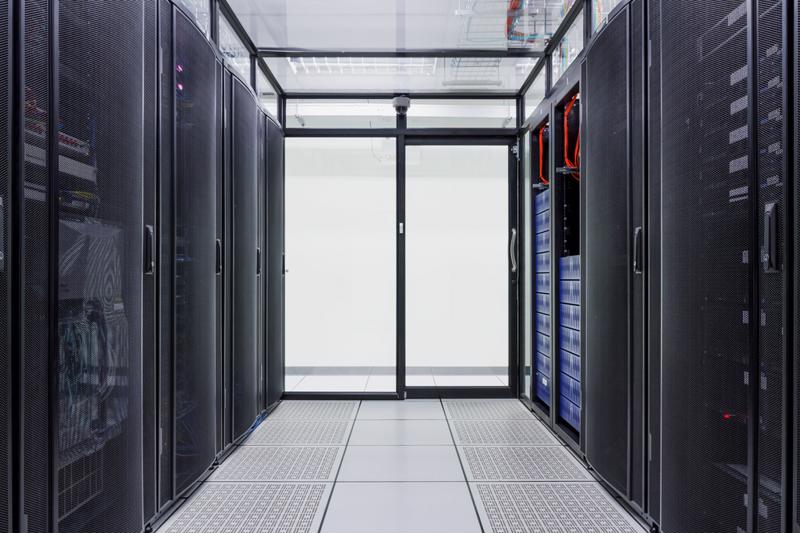
As a solution to storage woes, many companies are beginning to lean toward colocation. This is where a business takes its own servers and stores them at an outside data center. Once the servers have been transported, the facility’s staff take care of requirements such as cooling and bandwidth. The popularity of this service has been exploding recently, and MarketsandMarkets has predicted the global colocation market to be hit more than $54 billion by 2020.

Colocation is an amazing innovation, so let’s take some time to discuss the advantages of this service in depth:

Colocation has a lot of benefits. Colocation just makes sense for many businesses.

Advantages you can expect

As touched on above, one of the biggest reasons companies make the switch is that they don’t have the ability to actually care for their servers. Whether it’s a concern about not having the proper staff to care for the machines or even just not having the physical space, colocation allows companies the unique opportunity to utilize data center services without actually building one themselves. CAPEX and OPEX costs such as these are severely reduced when implementing a colocation solution, allowing business administrators a little more breathing room in their budgets.

On top of receiving services like server cooling and power without directly having to pay for them on premises, companies that purchase a colocation plan are also likely guaranteed certain conditions under their service-level agreement. According to TechTarget’s Margaret Rouse, an SLA may include anything from uptime guarantees to performance benchmarks.

“Data is at the center of your business.”

Another amazing benefit of colocation is that the managed service providers within the data centers often also offer disaster recovery solutions. While this is certainly a great addition to a colocation package, it also means that a facility that provides disaster recovery is most likely safer than any other company you’ve ever dealt with. These professionals are experts at mitigating the risks of a disaster, which means your servers will be incredibly secure in their hands. Data is at the center of your business, and making sure that it’s safe should be your top priority.

ISG Technology can help you implement a solution

If you’re thinking of taking advantage of this amazing innovation, there’s been no better time than now. ISG Technology is a leading colocation expert, with years of experience satisfying the data storage needs of our clients. Even a single server can be relocated to an ISG Technology facility, making this service right for businesses of multiple sizes.

Although colocation has quite a lot of advantages, certain companies can benefit more than others by implementing such a solution. In the second part of this series, we’ll delve more deeply into which organizations can expect the most out this service.

What happens when your employees can't get to work?

There was a time when waking up after a massive snowstorm was a joyous occasion. You’d sit down to watch TV or listen to the radio, hoping to hear your school’s name on a list of those closed for the day. There really wasn’t anything better in the winter than a snow day.

Sadly, however, those days are long gone. There are a lot of perks to being an adult, but one of the drawbacks is that having an entire office stay home for a few days when the weather gets rough simply isn’t an option.

That being said, working from home poses a lot of challenges too. Aside from having to deal with kids loudly enjoying their snow day, remotely accessing business applications can be difficult.

Forcing employees to come in during a blizzard is reckless

Many more thoughtless employers believe the answer to this problem to be simply requiring employees to get to work regardless of the weather conditions. While maintaining business continuity is incredibly important to profits, at the end of the day your employees are really the only irreplaceable part of your operation. With the U.S. Department of Transportation having found that more than 31 percent of fatal weather-related car crashes happened due to snow and ice between 2004 and 2013, requiring people to come into work under such conditions could prove to be deadly.

Don't force your workers to come in on a snowy day. Driving in the snow is dangerous.

What’s more, getting to the office in a blizzard can actually be illegal. During winter storm Jonas in January 2016, New York City and Long Island were forced to ban traveling. This included trains and city mass transit, and also driving in the tunnels and onto bridges. So not only is forcing employees to come in during a massive snow storm incredibly heartless, it could be illegal.

Working from home is a start, but there’s a catch

All this being said, your business likely can’t just stop operations for a few days while a storm blows over. Your clients and partners demand continuity, which means employees will have to work from home when the snow falls heavily. Certain business applications are absolutely vital to your company’s work, and yet quite a few of these systems may not be able to be accessed while at home. They require employees to be in the office when utilizing them, severely cutting down on what your employees can do while at home.

While this is clearly a major problem for employees that rely on mission-critical applications to get their work done, there are other logistics to be considered when implementing a work-from-home initiative in the wake of a disaster. According to the Pew Research Center, 67 percent of Americans have a broadband connection at home. While that’s still a majority, it shows a massive hurdle many companies will have to overcome when trying to maintain business continuity after a disaster. A proportion of your employees may not have high-speed Internet at home, which means their ability to stay productive is going to severely drop.

“Employers need to have a plan in place.”

Proper planning is vital

What all this means is that employers need to have a plan in place for the eventuality of workers being snowed in. This includes having a lengthy discussion with employees about their home situations, including their ability to connect to the Internet if the need for them to work from home should arise.

It also means that cloud-based disaster recovery is an absolute must for those businesses operating in colder climates. Blizzards are a very real threat to business continuity, and not being able to access your applications in the event of such a disaster could be costly to your operations.

Consult with an ISG Technology disaster recovery professional today and save yourself the headache of an adult snow day.

Winter storm in the Midwest highlights need for disaster recovery planning

Although it came a little later than usual, winter is finally here for much of the United States. Many parts of the U.S. have been blanketed in snow recently, but it would appear the Midwest has received an extra helping. Winter storm Ilias has made its presence known, with its icy fingers reaching from Kansas all the way to Tennessee and beyond.

Thankfully, no deaths have been reported yet as a result of Ilias. That being said, the occurrence of yet another cold and icy winter certainly isn’t welcome, especially for companies trying to maintain business continuity. Heavy storms like Ilias are incredibly threatening toward the livelihood of a business, and organizations should take steps to prepare a disaster recovery plan for them.

“Snow can very easily cause a roof collapse.”

What happens when your facility is damaged?

Although winter storms may not be as flashy or as obviously disruptive as other natural events like tornados, they can still cause some heavy damage to your company’s building. Snow may not seem heavy to you, but that’s only because you’ve only ever picked up enough to make a snowball. When it begins to pile high on your facility, snow can very easily cause a roof collapse if left unchecked.

What’s more, extremely heavy winter storms have been known to cause power outages. Nemo, a massive blizzard that ravaged the Northeast in 2013, caused the outage of more than 650,000 businesses and homes in the area, according to USA Today. The massive power of this particular blizzard shows that your business is completely open to the elements. The building housing your company simply cannot be 100 percent protected against the weather, and as such you’ll need a disaster recovery plan for when things go wrong.

What about when people can’t get to the office?

While damage to your office building would be terrible, everything contained there is just stuff. The part of your organization that really matters is the people working every day to further your business. Your employees should be your first concern when thinking of a disaster recovery solution for winter storms, as commuting to work in snowy conditions is incredibly dangerous.

Winter ice can result in car wrecks. The road can be a dangerous place in the winter.

Ilias emphasized this point recently when the roads near Kansas City froze over, causing multiple car accidents in the metropolitan area, according to KMBC. When storms get this bad and having your people come into the office becomes a liability, will your business be able to function? You obviously don’t want your employees to be in harm’s way, but how can you keep up business continuity if none of your employees have access to work-related resources?

You need a disaster recovery plan now

Waiting until tragedy strikes your business to make a disaster recovery plan is like putting your seatbelt on after a car accident: The damage has already been done. Anyone who doesn’t have protection against events like winter storms should absolutely be looking into disaster recovery solutions. Thankfully, ISG Technology can help you on your journey toward a more prepared workplace.

Check out ISG Technology’s page on disaster recovery planning and contact a DR expert today!

ISG Technology: Who we are

We’ve spent a lot of time on this blog discussing what ISG’s services can do for you, as well as what kinds of specific problems we can fix. We’ve even done an opinion piece here and there about current trends within IT. What we haven’t done so far is explain what kind of a company we are on a more personal level.

As a modern company, it’s really important to us that you not only understand what we do, but who we are. In an effort to fully introduce ourselves to you, we’d like to explain the three guiding principles that drive our company’s innovation each and every day: people, technology and service.

“People come first.”

People

When it comes to business, even the business of technology and machines, people come first. When we’re considering initiating a business relationship with a company, the first thing we do is try to fully understand the people who work there.

The reason we do this is simple: We can’t figure out how to fix your problem if we don’t know anything about who you are and what you need from us.

For the average managed services provider, solving an issue starts with what the MSP can do to fix the problem, followed by how the company is specifically going to solve it and finally finishing with why that particular situation was a problem in the first place. While this gets the job done most of the time, we at ISG think these companies have it backwards.

We begin our problem analysis by first figuring out why this obstacle is in your way. Starting here works better because it allows us to fully understand all aspects of your particular situation, without coming in with any preconceived notions. After this, we begin to work on how we’re going to fix the problem, followed by a full and detailed investigation into what the actual problem is.

What this means is that you can rest assured ISG will solve the problem you’re actually having, and not the one you think you’re experiencing. While you may think you need simple malware removal – something ISG could easily provide for you – it may turn out that you actually need comprehensive firewall protection services. By figuring out why a situation is a problem for you first, we can diagnose the root cause of your dilemma and provide a solution based on your company’s specific needs.

Technology

Technology is evolving at a truly remarkable rate. The Pew Research Center found that in 2015, about 68 percent of American adults owned a smartphone. In 2011, that number was closer to 35 percent. In four short years, smartphone usage had almost doubled, showing how fully technology has been integrated into our everyday lives.

Technology is everywhere, and with around 84 percent of your American clients identifying as Internet users, being on the forefront of this revolution is absolutely vital to stay profitable. That being said, keeping up with the latest and greatest in technological innovation is extremely hard when you’re trying to run a business.

To anyone working outside of IT, something like server virtualization can sound like magic. Just wrapping your head around the concept of fitting multiple, virtual machines on a single server can be impossible if you don’t understand the finely tuned technology behind it.

Thankfully, our team of highly trained tech wizards can make this magically complex technology simple and easy to comprehend. With ISG, you can rest assured that you’re getting the technology your business needs, from experts who truly understand it.

ISG tech experts are extremely knowledgeable. Our tech wizards can help bring the magic of modern technology to your business.

Service

Although you obviously want a cursory understanding of the technology you’re investing in, we know that you want IT solutions to just work. You don’t want your business goals to be hampered by constantly having to figure out what’s going wrong with the services provided to you, and as such, ISG has always been focused on providing a quality service to all of our clients.

Whether it’s disaster recovery services, or even online backup of your mission-critical data, we value giving the businesses we work with the best product we can. Investing in ISG is investing in consistency, and nothing is more important to us than making sure your IT problems get solved as efficiently and as effectively as possible.

If you’d like to learn how ISG can help bring your business to the next level, make sure to check out the list of managed services we offer on our homepage.


Join the ISG Technology Team